Adding Your Child
Adding a child allows you to assign chores, create a PIN, and track earned screen time.
Step 1
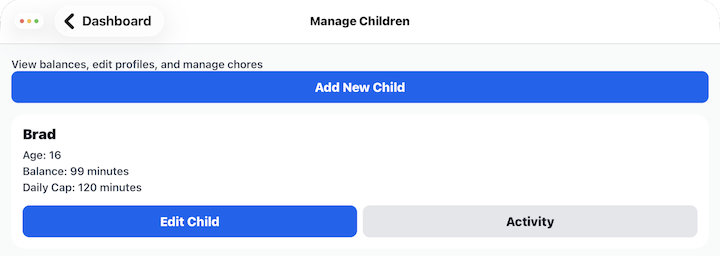
Tap Manage Children from the Dashboard.
Step 2
Tap Add New Child.
Step 3
Enter your child's information and select an avatar for them.
Tap Add Child.
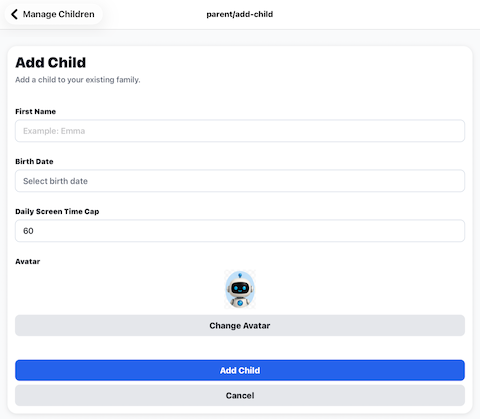
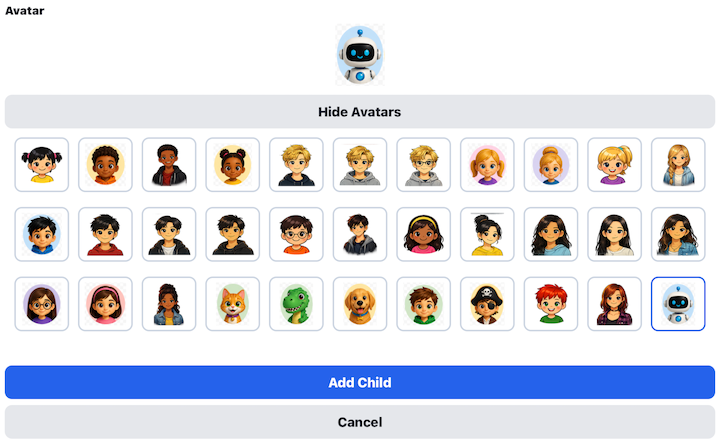
Press the Add Child button. The Manage Children screen will open and the child you just entered will now appear in your family.
Step 4
Select the child you just entered and press Edit Child.
If needed, update any child information.
This is where you set or update the child's PIN number. They need the PIN number to be able to login to see their chores, mark them complete and redeem screen time.
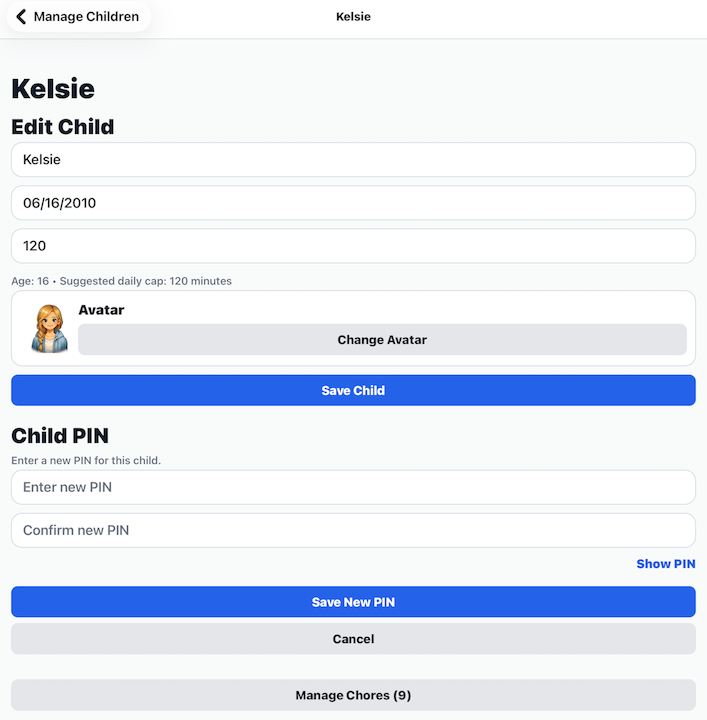
Tap Save Child.
Your child will now appear in your family.
Step 5
Assign chores to an individual child
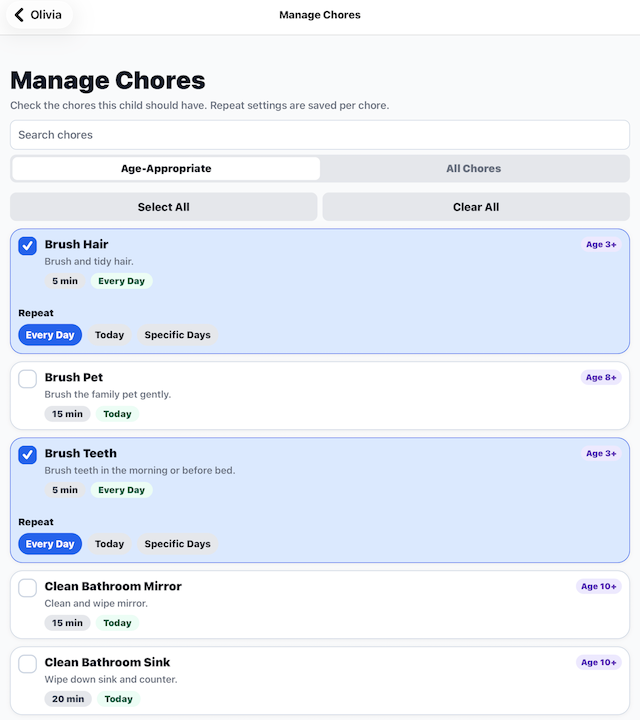
The Manage Child Chores screen lets you decide which chores are assigned to each child.
Every child can have their own list of chores based on their age, abilities, and responsibilities. You can add, remove, or adjust chores at any time without affecting other children in your family.
Adding a Chore
Tap Manage Chores to assign a new chore to the selected child.
The Chore Library displays the available chores. If the child already has a chore assigned, that chore is highlighted in the list.
Select the chores you want this child to have.
A chore is not added or removed until you tap Save Selected Chores at the bottom of the screen.
After saving, you'll return to the Edit Child screen.
Editing a Chore
Tap Manage Chores to assign a new chore to the selected child.
Tap any chore in the list to change its settings.
Depending on the chore, you may be able to update:
- Scheduled days
Changes affect only the selected child's copy of the chore.
Removing a Chore
Open a chore and uncheck if you no longer want that child to have the assignment.
Removing a chore from one child does not remove it from your Chore Library or from any other children.
Tips
- Assign chores that are appropriate for each child's age and ability.
- Children can share the same chore while having different reward minutes or schedules.
- You can add or remove chores at any time. Changes are reflected immediately on the child's device.
---