Manage Family Members
The Manage Family Members screen displays every adult who belongs to your Barnacle Bucks family.
From this screen you can view each member's role, see whether their account is active, and deactivate access for adults who should no longer be part of your family.
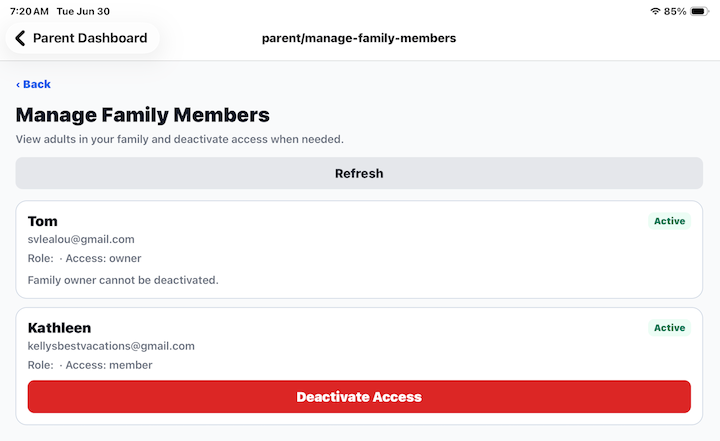
Family Members
Each family member includes:
- Name.
- Email address.
- Family role.
- Current account status.
The Family Owner is identified separately and cannot be deactivated.
Active Status
An Active badge indicates the family member currently has access to your family's Barnacle Bucks account.
Only active family members can log in and help manage your family.
Deactivate Access
Tap Deactivate Access to remove a family member's access to your family.
Once access has been deactivated:
- The adult can no longer access your family's information.
- They can no longer manage children or approve chores.
- Their account remains available if they join another family in the future.
The Family Owner cannot be deactivated.
Refresh
Tap Refresh to retrieve the latest family member information.
This is useful if someone has recently accepted an invitation or if another parent has made changes.
Tips
- Regularly review your list of family members.
- Remove access for anyone who no longer needs to help manage your family.
- At least one Family Owner must always remain active to manage the family account.